$asset.assettitle

EnterMedia 8 Manager

Checkout our Latest Release!

Take a look at our innovative interface for managing your EnterMedia installation. We hope you will enjoy just how easy it is to get a bird's eye view and manage your software with our simple user interface. With just a couple clicks you can set up an instance of EnterMedia and get working. This is also the area where you extend the core with additional extensions.


$asset.assettitle

Enterprise Media Library (EML) - Search Editor

Easy and Organized

The Enterprise Media Library is the core of EnterMedia 8, and helps you organize your assets and find what you are looking for. It all starts with the search bar front and center, but after a few searches you will notice your queries are being logged on the left sidebar. This way you can go back and save certain searches, or even get into the search details, and refine them to help narrow your results. That means you find exactly what you are looking for in the least amount of time. In tight situations, this could be a lifesaver.


$asset.assettitle

EnterMedia Software

Welcome to EnterMedia Software

The most powerful video distribution tool available is the one chosen by top industry professionals to manage and maintain their entire video collection. Manage all of your video needs from your own secure server. Entermedia has a custom video themed GUI (graphical user interface) that really is simple to use. So from managing all of your digital files to running your own online television station, EnterMedia is one of the most effective tools available to help you manage your growing collection of rich media.


$asset.assettitle

EnterMedia Overview

Welcome to EnterMedia Software

This is a brief video introduction to EnterMedia Software's customers, products, and services. Here you will find out about some of EnterMedia's great features and see examples of Entermedia front ends.


$asset.assettitle

Video Distribution - EM Tube

EnterMedia's Front End for Video Distribution

EnterMedia's EM Tube was created to give you complete control over the video content in your website. As opposed to monolithic sites that you have no control over, EM Tube streams your videos directly from your website. With EM Tube you can view and display videos in a YouTube-like environment, while also interacting and collaborating in a rich media context.


$asset.assettitle

Media Blogging - LoudMouth

A Powerful Marketing and SEO Tool for Your Business

Don't be left out in the cold while other companies gain the competitive edge. Entermedia's Loud Mouth blogging tool will keep your customers in the loop. Don't let important news go unread or under the radar. Update and manage multiple blogs from any web-enabled terminal. Build your company's branding effort with a grassroots blogging campaign. The sky is the limit with the new Entermedia Loud Mouth blogging software. Complete with a back-end administrative interface, Loud Mouth offers unparalleled flexibility in the world of blogging.


$asset.assettitle

Online Editing - EnterMedia Content Management

Update Your Site From Any Browser and Any Computer

Entermedia hosts a state of the art online editing system, which allows you to update and maintain your website from any computer. The system has a full WYSIWYG editor that allows you to drag and drop pictures, video, and other media straight into your web pages. Also, developers can access the HTML source code if they prefer a more savvy approach. You will no longer need to utilize third-party software to make modifications to your website. Entermedia can handle it from within all major browsers like Mozilla Firefox, and Google Chrome, as well as, Microsoft Internet Explorer. Arrange your files in folders and directories and keep them organized directly on the server, without any interference. Entermedia's CMS (content management system) keeps your website running smoothly, while allowing you, the administrator, the ultimate in flexibility, the ability to change code and files on the fly, from any web-enabled browser. Interested to see how it works? We thought so. That's why we created a fully functioning online demo to show you what is possible. Come and see for yourself, the power and flexibility of Entermedia software, the ultimate solution for your digital asset management needs, complete with it's own system for editing content on the web from anywhere in the world.


$asset.assettitle

Job/Issue Tracking - Work Monger

Keep Track of Important Projects and Manage Individual Issues

Do you have a variety of complex projects? Overlapping deadlines and deliverables? Let Entermedia's issue tracker take the stress out of managing it. Work Monger is the simple way to manage an assortment of projects, each with an array of issues. Sort projects by due date, and date last modified. Share important files and spreadsheets, and control group permissions with ease. Work Monger allows you to relax, while you effortlessly manage multiple projects. There is a built in Gantt chart that allows you a visual display of your project's duration as you track it from inception to completion. If one issue tracker just isn't enough, Entermedia allows multiple installations, so the sky is the limit.


$asset.assettitle

User Manager

Keep Track of Users, and Edit their Permissions

This video covers the user manager as part of the Entermedia server settings area. The user manager enables system administrators to easily organize users into groups and set various permissions.


$asset.assettitle

Metadata Editing

Easily Access and Manage Your Files Metadata

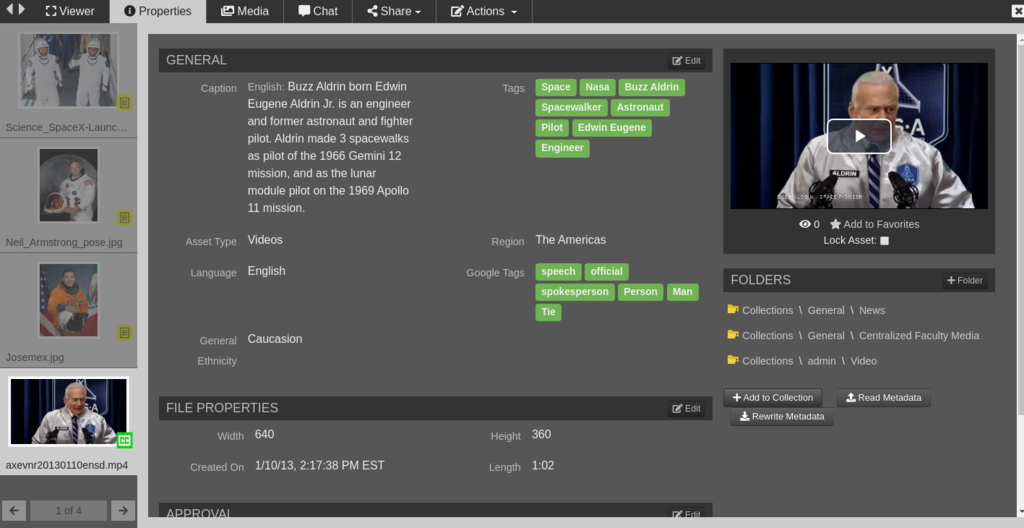
One of EnterMedia's key functions is it's ability to access and manage a wide assortment of metadata. This metadata can be configured and customized based on your individual business needs. Once entered, the metadata is fully searchable enabling you to easily locate and access your assets.